Change, upgrade or cancel your plan
Upgrade for more screens, switch between monthly and annual, update your card, or cancel, all from the billing page.
Last updated 26 July 2026
Everything to do with your subscription lives on the Billing page in your dashboard. Your current plan, how many screens you're using, and the buttons to change any of it. Adding screens, switching how you pay, updating your card, cancelling. It all happens here.
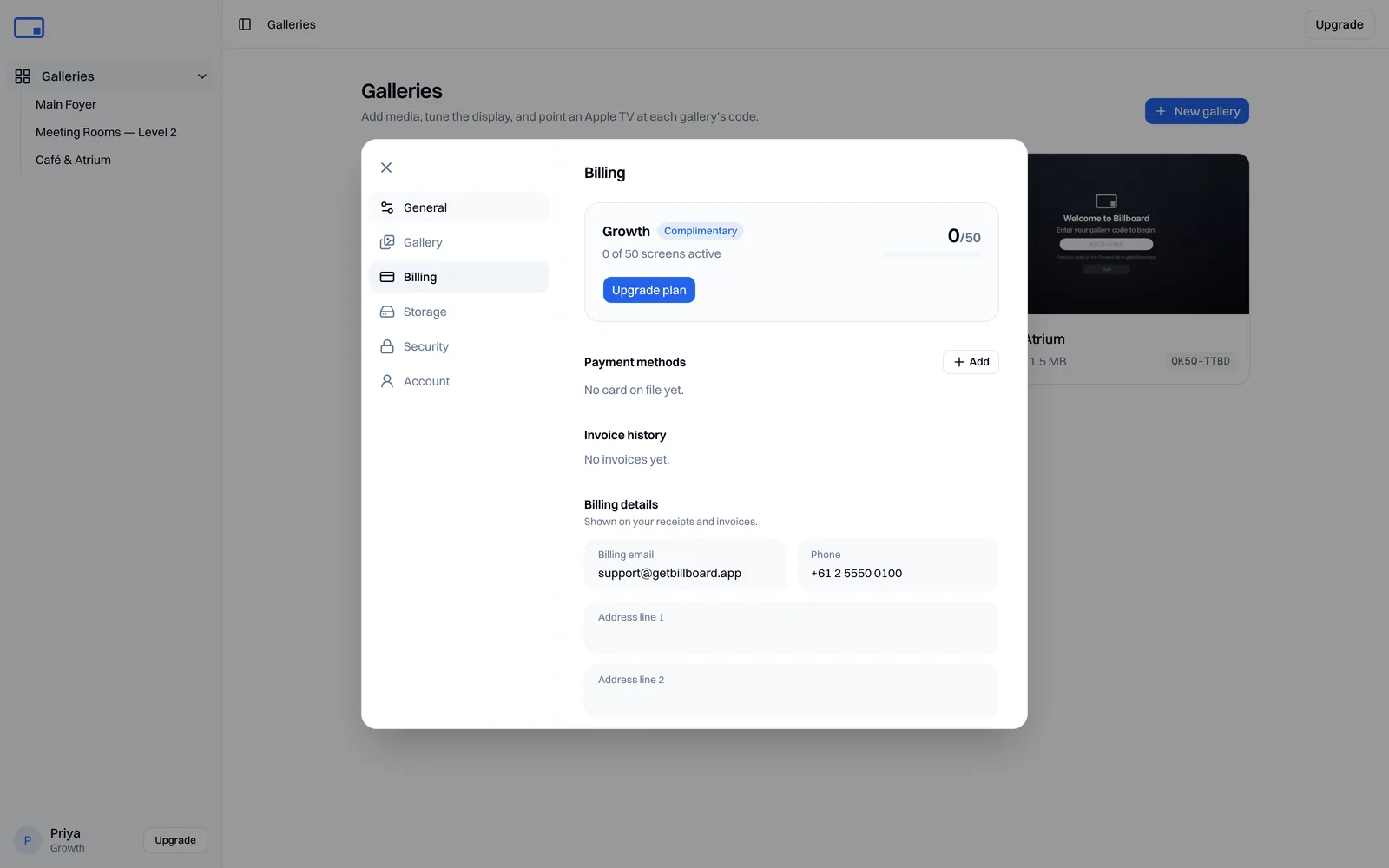
Each plan is one flat price for a set number of screens, never a per-screen charge, and you can pay monthly or annually. Annual works out cheaper across the year. See Plans & billing for the current tiers and prices.
Upgrade to more screens
- Select Upgrade. It's in the sidebar, the top-right of the dashboard, and on the Billing page.
- Choose Monthly or Annual at the top (annual gives you two months free), then Choose the plan you want.
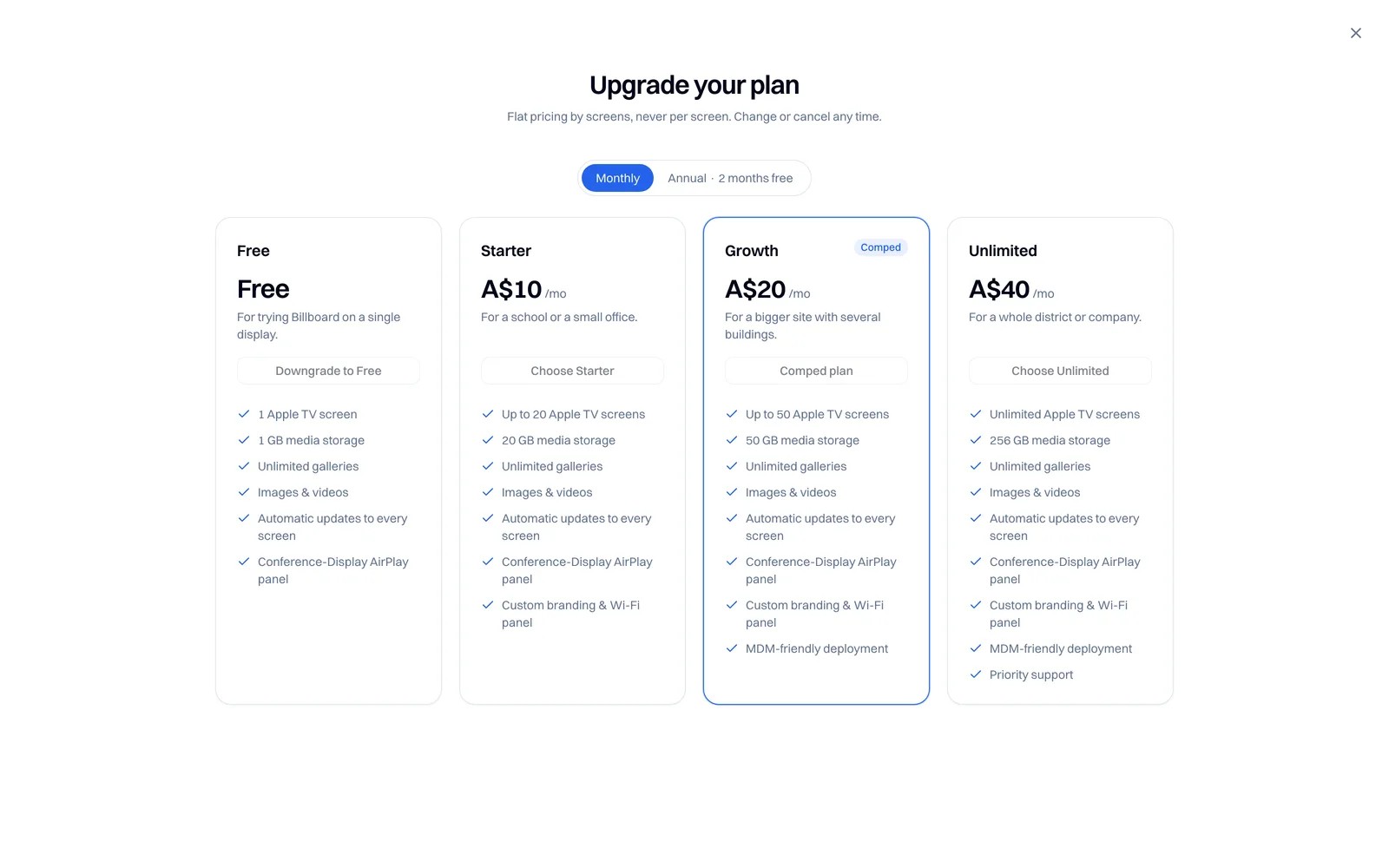
- You're taken to a secure checkout. Enter your card and confirm. Payments are handled by our payment processor, and Billboard never sees your card details.
Upgrading takes effect immediately, so the extra screens are available straight away. Any screens that were showing the "paused" message start playing again on their next refresh. For more on how screens are counted, see What counts as an active screen.
Your current plan is marked in the panel, and you can downgrade or switch between monthly and annual from the same place.
Update your card, switch plan, or cancel
Select Manage billing to open our payment processor's secure billing portal. From there you can:
- Update your card or payment method.
- Switch between monthly and annual billing.
- Change or cancel your plan.
Cancelling
Cancelling takes effect at the end of your current billing period, so you keep your plan and all your screens until then. Fees already paid are non-refundable except where required by law.
When the plan ends, your account drops back to the Free plan (two screens). Any screens beyond those show the paused message, and your galleries stay exactly where they are.
Tip: downgrading to Free is the way to stop paying while keeping your galleries. Deleting your account is only for when you want everything gone. See Delete your account.
Prices, GST and receipts
Prices are in Australian dollars. Billboard is not currently registered for GST, so no GST is charged. A receipt is provided for every paid plan.
The Free plan needs no card and never expires, so there's no cost to sitting on it for as long as you like.
Still have a billing question? Email support@getbillboard.app and we'll help.