For real estate agencies
Real estate window displays that keep up with your listings
Printed window cards are out of date the day a home goes under offer. Billboard turns a TV and an Apple TV into a listing display: the photos cycle, the price and auction date sit beside them, and Sold goes up the moment it happens, from your phone, without anyone touching the window.

Listing screens for your agency window
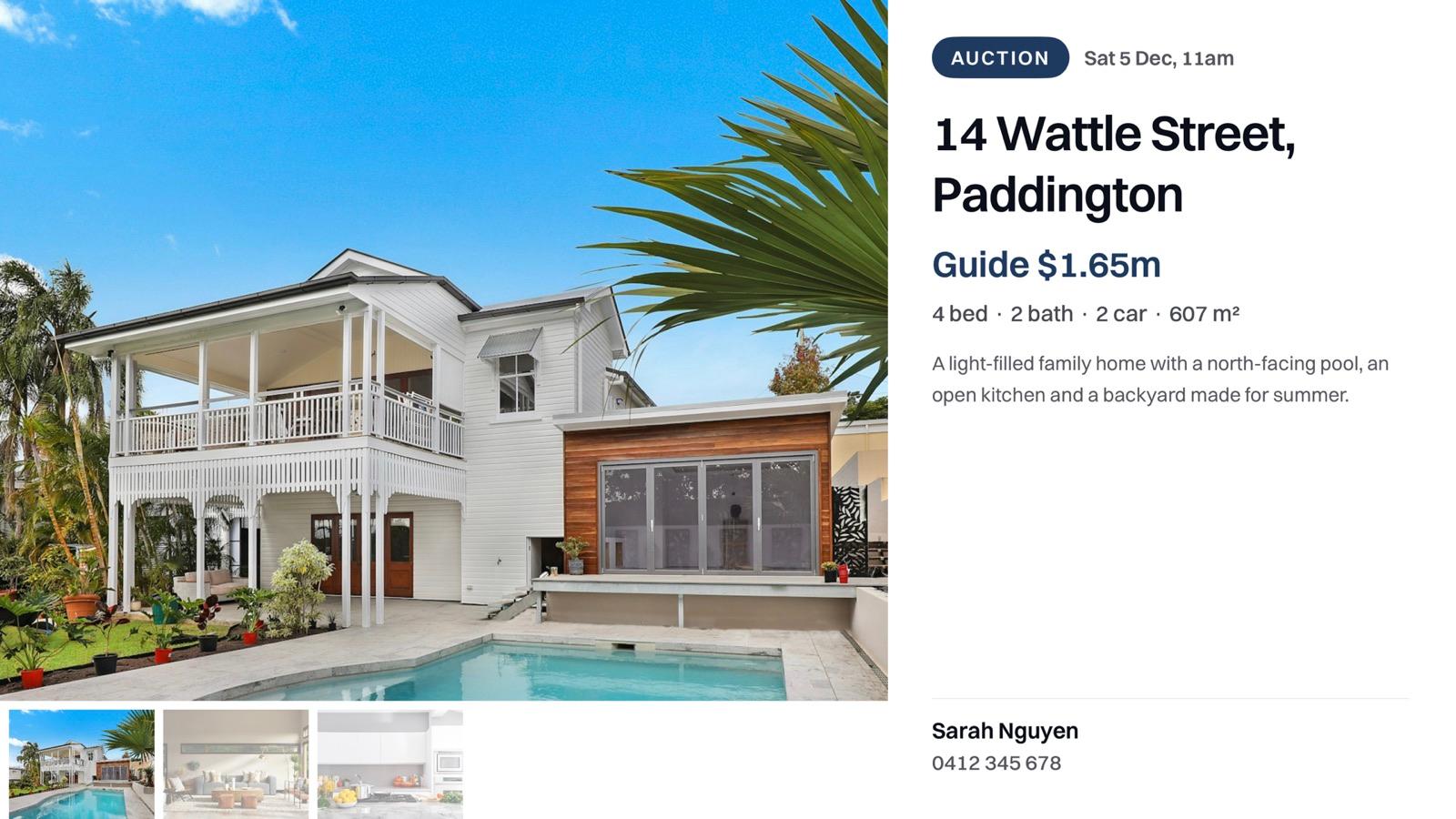
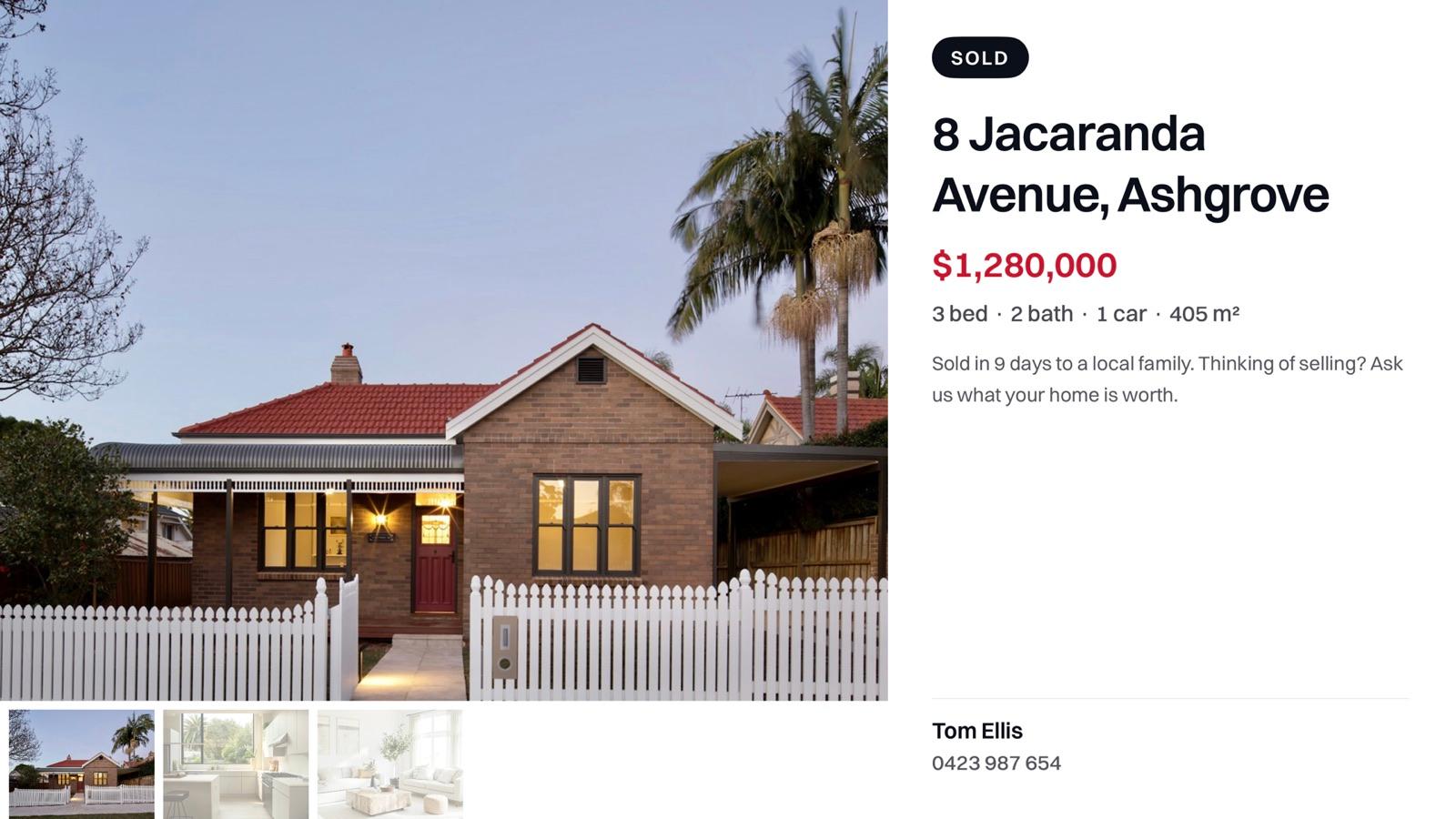
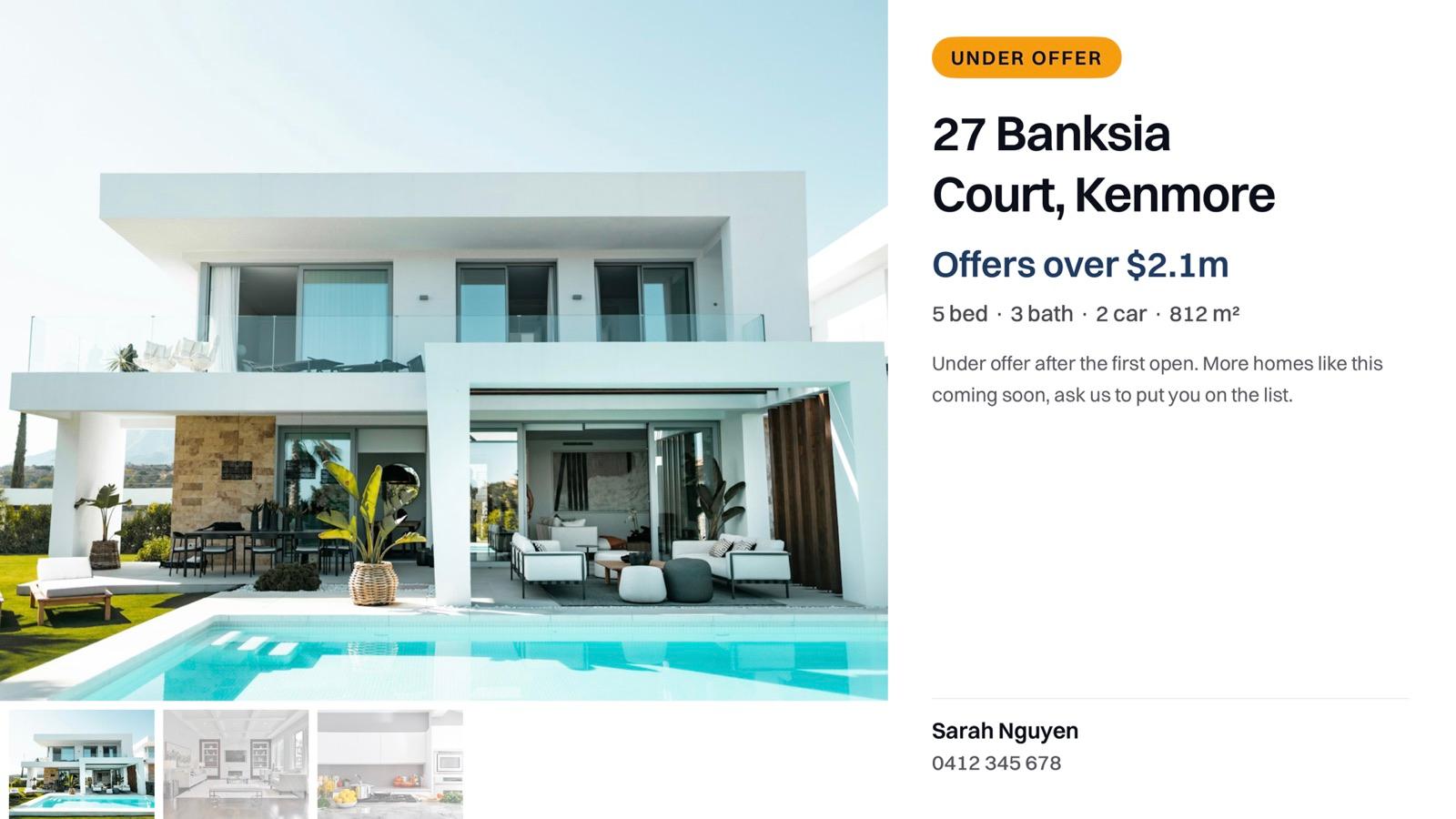
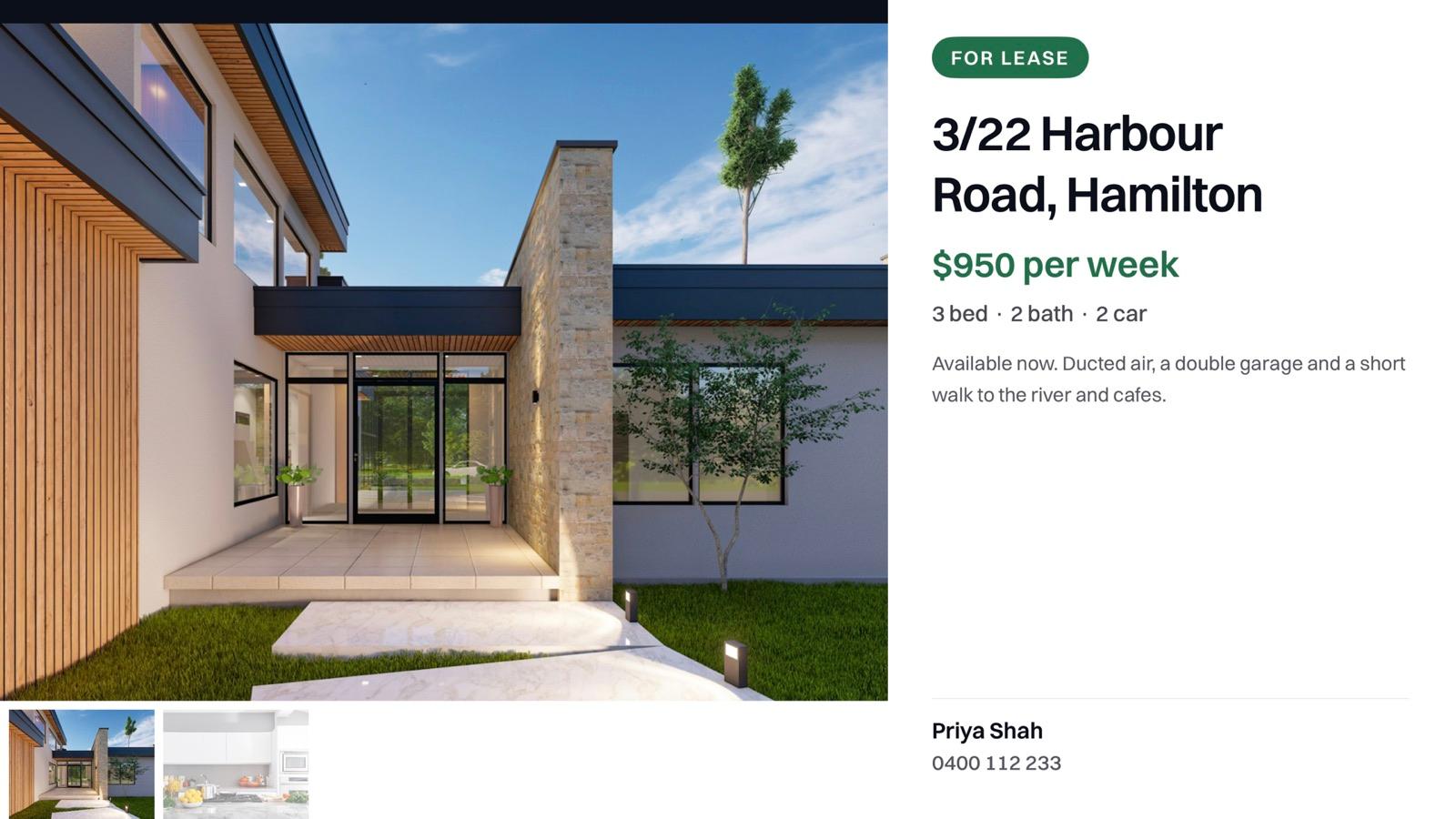
Real listing boards, drawn by the Apple TV app. The photos cycle in the left column while the details stay put, readable from the footpath.
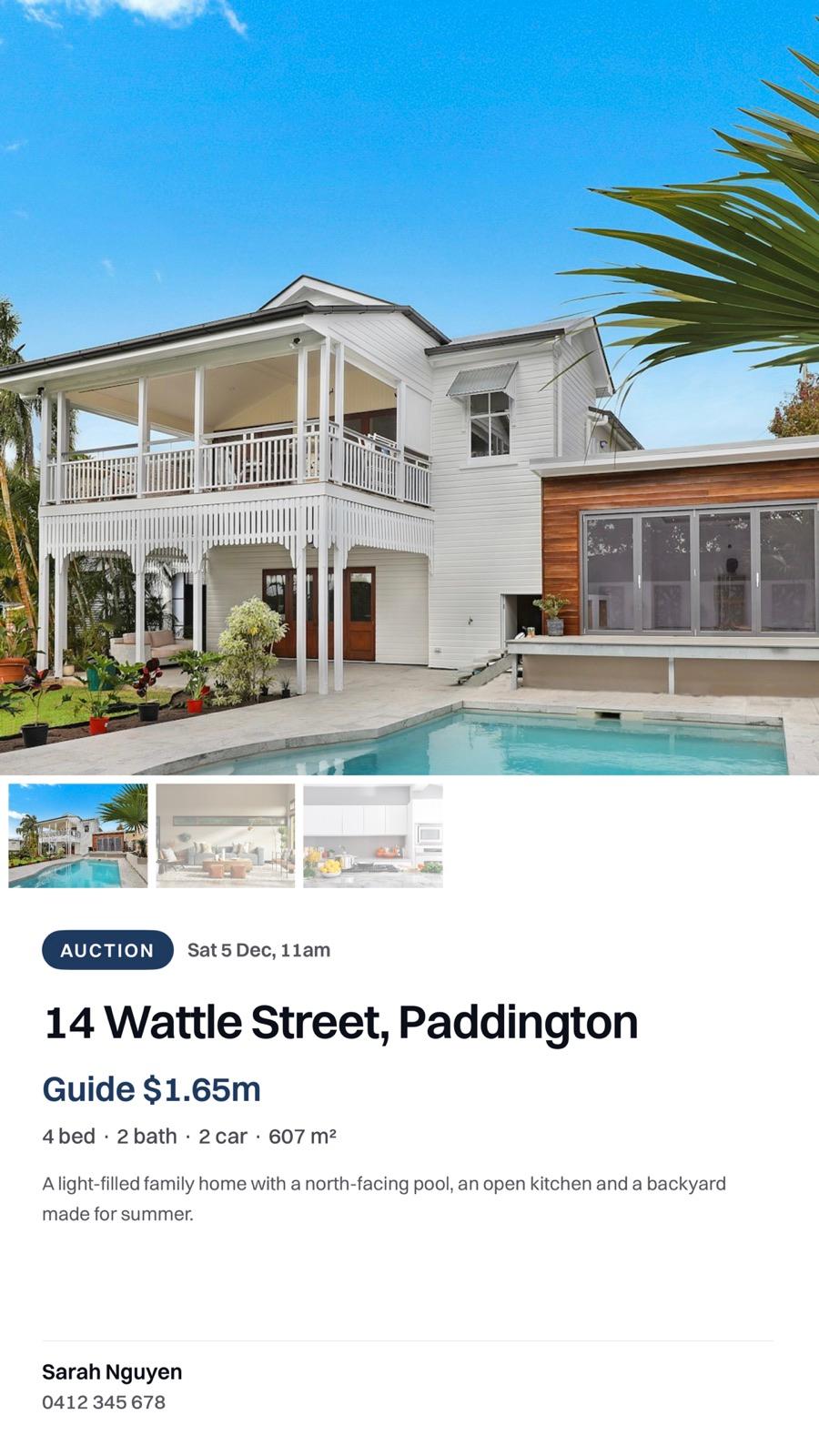
Portrait
Turn the screen. It follows.
Most agency windows hang their screens upright. Rotate one and the listing stacks, photo on top and details below, from the same board as the landscape screen.
A listing board built for the window
Photos on one side, the address, price, beds, baths, cars and land on the other. Up to eight photos cycle on their own, with the agent's name and number underneath.
Sold in a click
Switch a listing to Under offer, Sold or Leased and every screen showing it changes on its next refresh. Sold boards are the best advertising an agency has, so leave them up.
Auctions and open homes
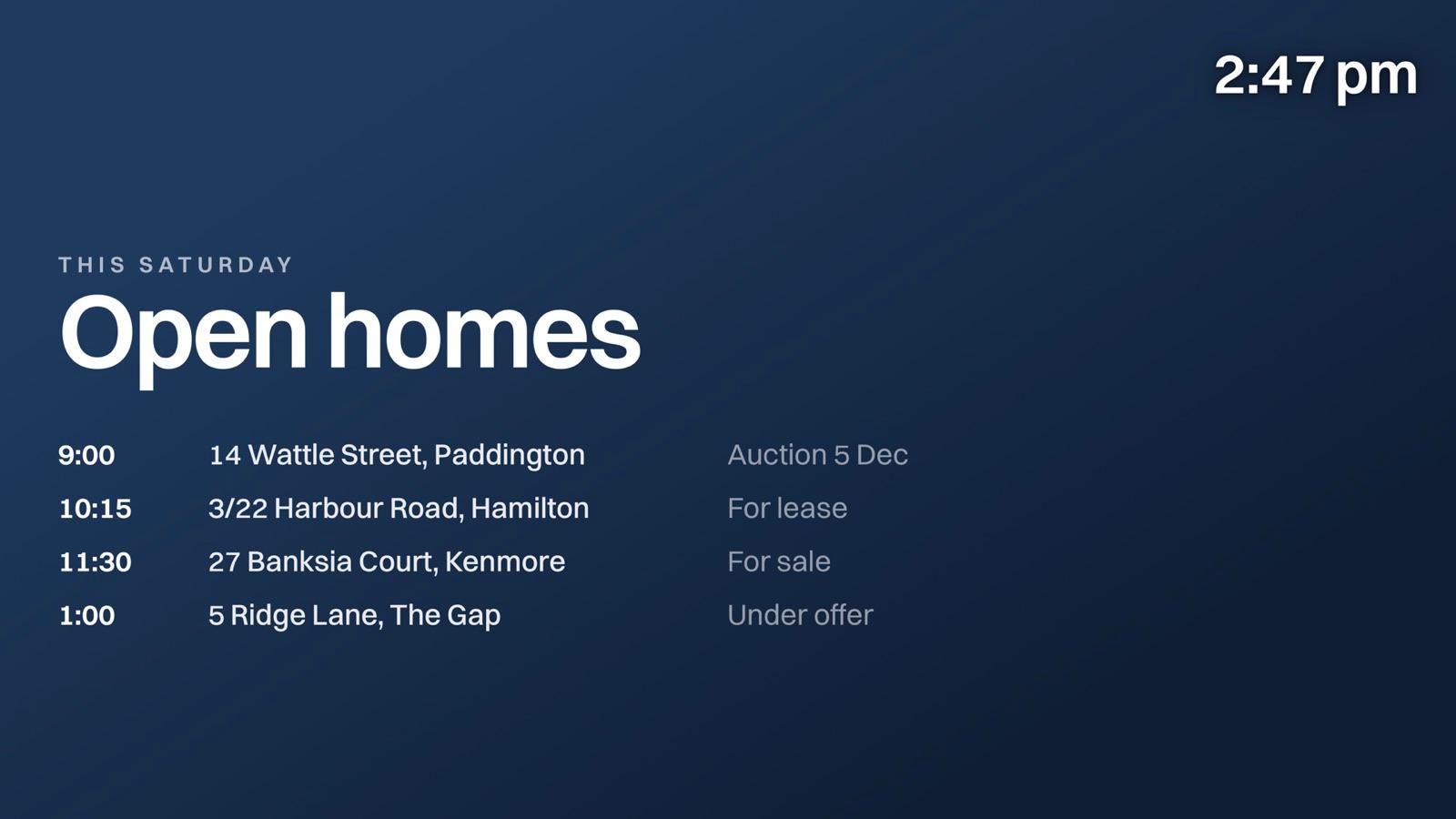
Put the auction date on the listing, and Saturday's open homes on a board of their own. Give a board start and end dates and it comes down by itself.
Your agency's colour
Status pill and price in your brand colour, your logo on screen, and your own font. Six colours to start from, or any you like.
No new hardware
Works on any Apple TV you already own. Nothing to buy, nothing to wire in.
Every office, one dashboard
Each window gets its own gallery. Run them all from one login, or give each office its own team so they look after their own listings.
See the full feature list, pricing, how flat rate beats per-screen, or the deployment guides for Jamf, Mosyle, Intune and Apple Configurator.
Frequently asked questions
- What do I need for a digital real estate window display?
- A TV, an Apple TV plugged into it, and Wi-Fi. Install Billboard from the App Store, enter the code it shows on your dashboard, and the screen is live. No signage player, no installer.
- How do I add a listing?
- Add a Listing board, upload the photos, and fill in the address, price, status and features. It takes about as long as writing the window card, and you only do it once.
- Can I change a listing to Sold from my phone?
- Yes. The dashboard works on a phone, and you can add it to your home screen like an app. Change the status and the window follows within minutes.
- Will it work in a portrait window screen?
- Yes. Set the screen to portrait and the listing reflows with the photo on top and the details underneath, sized for an upright screen.
- How much does it cost?
- Two screens are free. After that it's one flat monthly or annual price set by how many screens you run, never per screen and never per feature. Current tiers are on the pricing page.
- Can each of our offices manage its own screens?
- Yes. Put each office's screens in their own galleries and give that office's staff access to just those. Head office can still see everything.
Put your listings in the window
Start free with two screens and have your first listing up in minutes.
Get started free